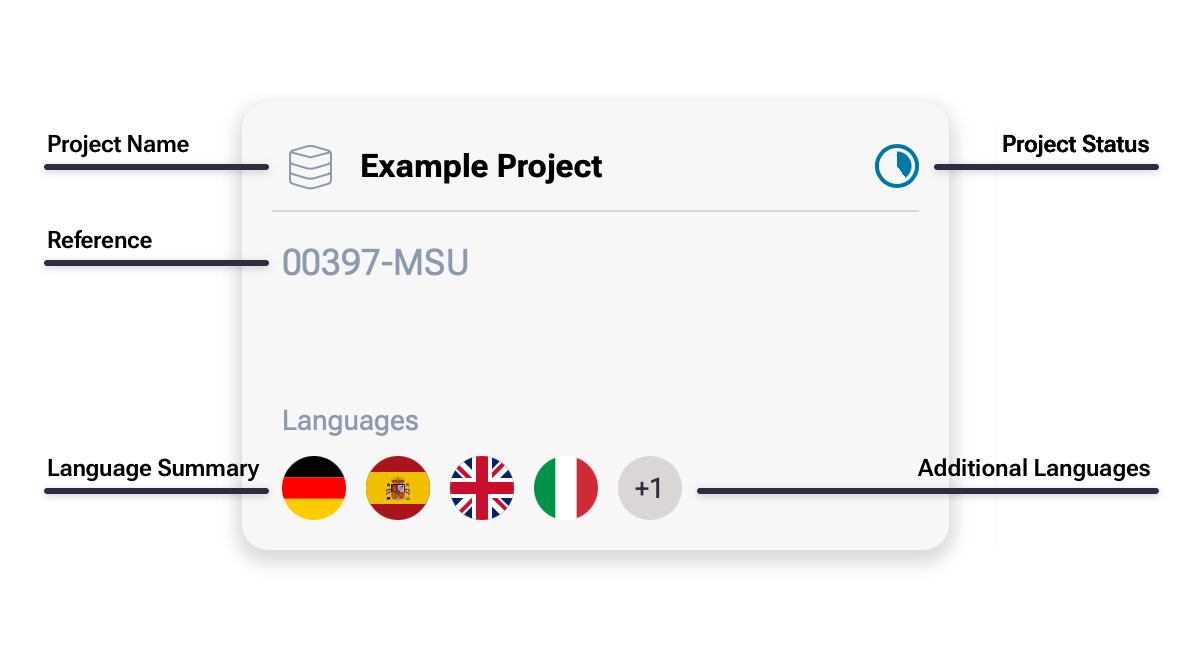

Project Card
Each Project on the Dashboard is represented by a Project Card. Each card presents a summary of Project information, including its title, status, reference and the content languages it contains. Clicking anywhere on the card will take you through to the relevant Project.
If a Project has been shared with you by someone else in your workspace, its card displays a sharing indicator so you can tell it apart from Projects you own.
A small ••• menu appears in the lower-right corner. Clicking it reveals an Info option, which opens Project Information showing the Project's name, key, reference, description, status and sharing details.
For Projects you own, the menu also offers a Delete action, allowing you to delete an entire Project and all its content. This will include any audio files and script content. Note: Project deletion is immediate and cannot be undone. A confirmation step protects you from accidentally deleting projects. Projects shared with you by others cannot be deleted, so this action is not shown.
Example Project